
Stop Procrastinating: The Best Software and Planners to Boost Productivity
Why Anti Procrastination Software Can Transform Your Study Sessions
Anti procrastination software helps you block distractions, build focus habits, and get more done — whether you’re cramming for exams or trying to stay on track during long study sessions.
Here are the top categories of tools worth knowing about in 2026:
| Category | Best For | Key Feature | Price |
|---|---|---|---|
| Strict Blockers | Deep blocking | Near-unbypassable locks | One-time purchase |
| AI Productivity Coaches | All-round blocking | Enforced mode + AI coach | Subscription |
| Cross-Device Sync | Multi-platform use | Scheduled blocks | Subscription |
| Context-Aware AI | Goal-based focus | No manual blocklist | Free/Pro |
| Habit Guidance | Neurodivergent users | Routine building | Subscription |
| Reflective Friction | Mindful usage | Breathing pauses | Subscription |
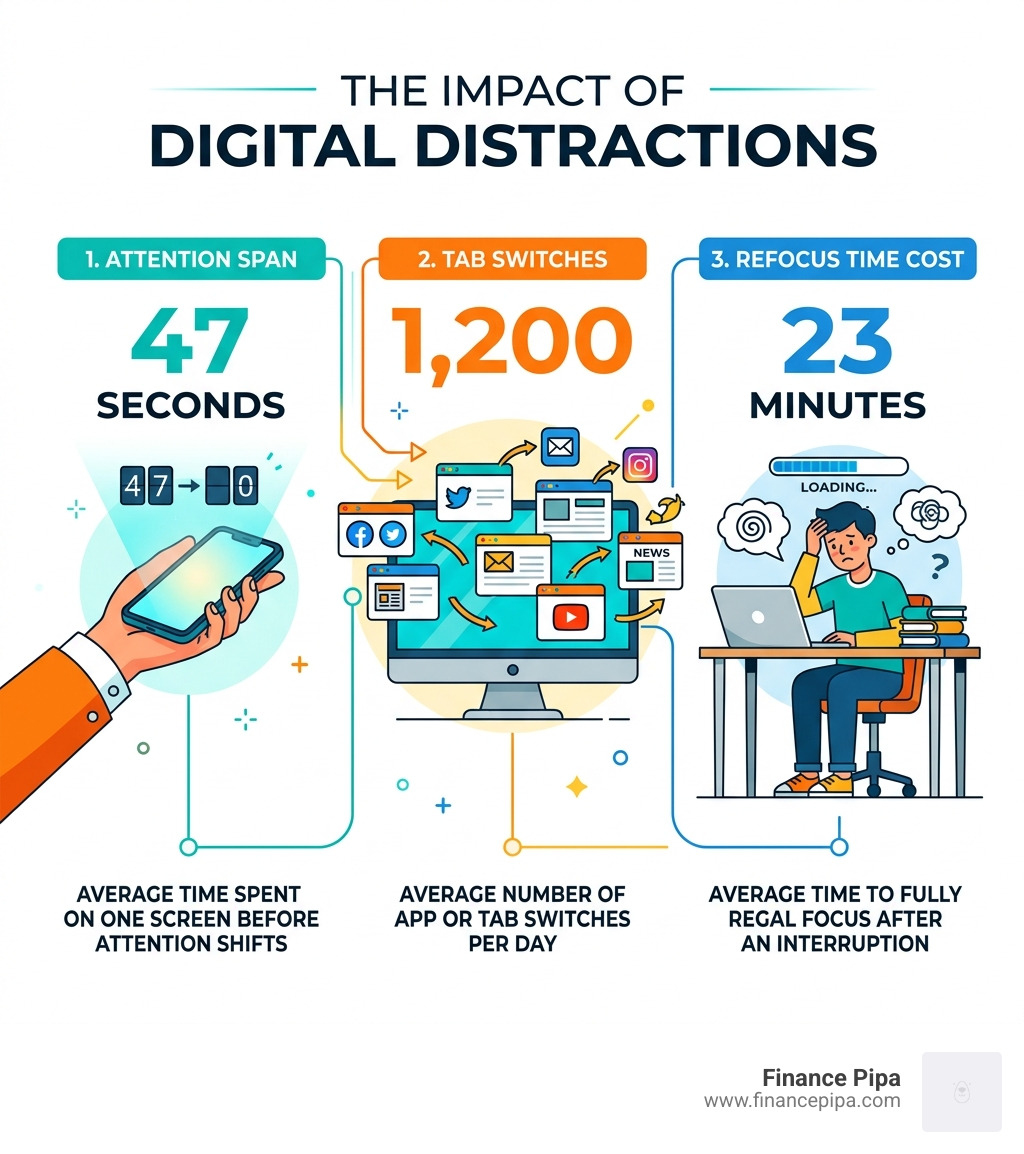
Here’s the uncomfortable truth: the average person now switches apps or tabs 1,200 times per day, and the average time spent on any screen before attention shifts is just 47 seconds. Once you’re pulled away from studying, it takes an average of 23 minutes to fully refocus.
That’s not a willpower problem. It’s an environment problem.
“According to psychological research, procrastination is a short-term mood repair strategy. When we don’t feel like doing something, we do something else — and these days, that something else is usually our phones.”
The good news? Anti procrastination software is specifically designed to fix that environment for you — automatically, so you don’t have to fight your own brain every time you sit down to study.
Below, we break down every major type of tool, who each one suits best, and how to choose the right one for your goals.
The Evolution of Anti Procrastination Software in 2026
As we move through April 2026, the landscape of productivity has shifted from simple “on/off” switches to sophisticated environmental engineering. We no longer just “block” the internet; we curate our digital surroundings using AI coaching and advanced psychological triggers.
Modern anti procrastination software leverages the principle that focus is often a result of the path of least resistance. If it is harder to open Instagram than it is to finish a math problem, we are more likely to do the math. This is known as friction, and it is the backbone of 2026’s most effective tools.
AI Coaching and Environmental Engineering
The latest software doesn’t just sit idle. Modern productivity tools now include AI productivity coaches that analyze your digital patterns. If the software detects you’ve been context-switching between twenty tabs in five minutes, it may suggest a “reboot” or a forced screen break to prevent burnout.
Mood Repair and Impulsivity Management
Psychologically, procrastination is often a “mood repair” strategy. We feel anxious about a difficult task, so we seek a quick dopamine hit from social media to feel better. 2026 software addresses this by introducing “reflective interventions.” Instead of a hard block, some apps force you to take a deep breath or state your intention before the app opens. This small moment of friction can reduce social media use by up to 57% after just six weeks.
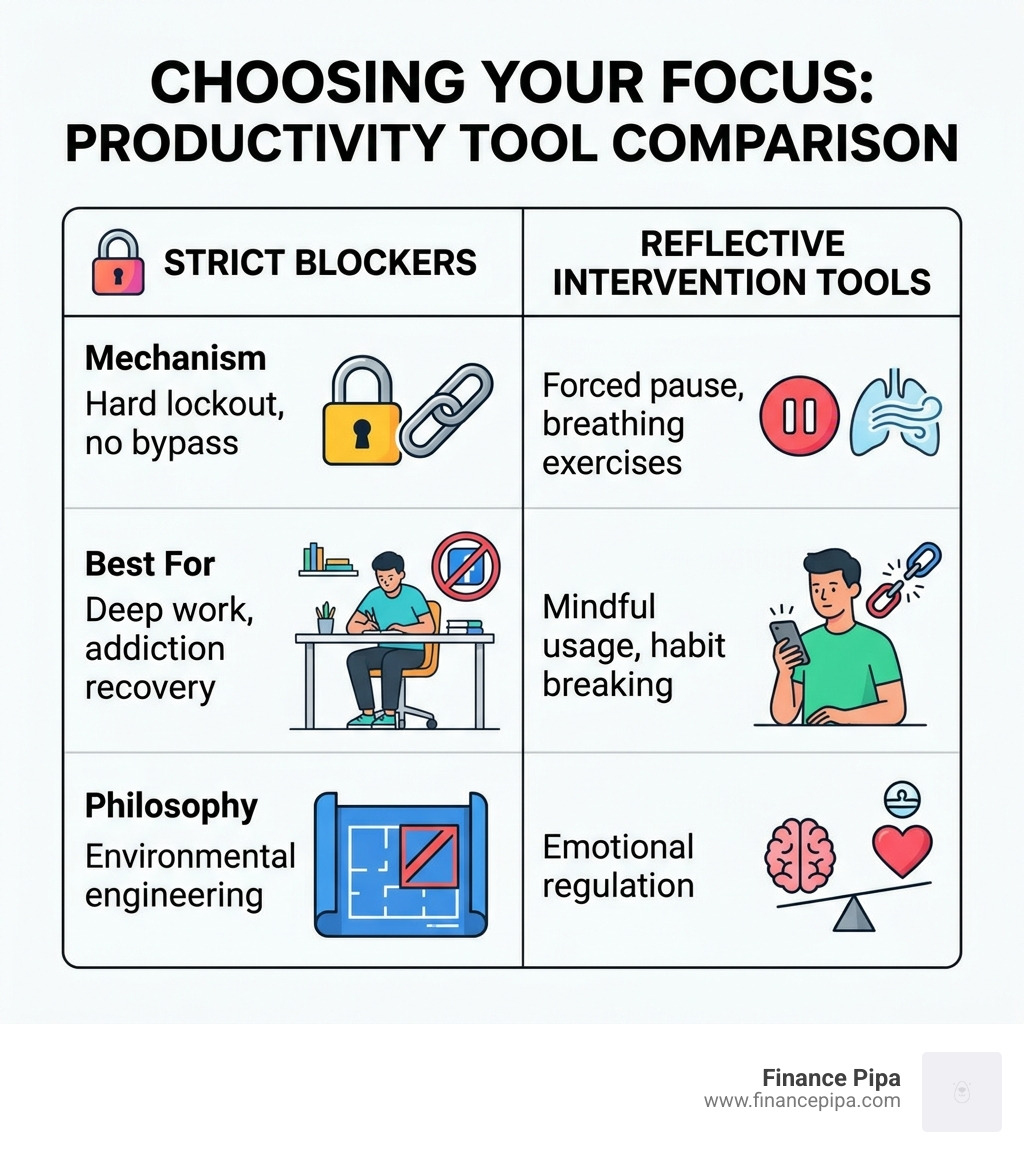
| Feature | Strict Blockers | Reflective Tools |
|---|---|---|
| Mechanism | Hard lockout, no bypass | Forced pause, breathing exercises |
| Best For | Deep work, addiction recovery | Mindful usage, habit breaking |
| Philosophy | Environmental engineering | Emotional regulation |
| Flexibility | Low (Enforced modes) | High (User decides after pause) |
Strict Blockers vs. Reflective Tools: Which Works Best?
When choosing the right anti procrastination software, you first need to identify your “procrastination personality.” Are you someone who needs a digital drill sergeant, or do you just need a gentle nudge to stay mindful?
Dedicated Blocking Applications
For those who find themselves “doomscrolling” or losing hours to gaming, strict blockers are the gold standard. These tools are designed to be “un-cheatable.” High-friction blockers, for instance, make it nearly impossible to uninstall the app or disable browser extensions while a block is active.
Advanced blocking software often includes an “Enforced Mode,” which can require you to type a long string of random characters just to change your settings. For students, this level of enforcement is a life-saver. Research shows that users of high-friction blocking software save an average of 3.24 hours per day. When you calculate that time across a standard work year at a $35/hour rate, it equates to nearly $29,297 in saved productivity.
Browser Extensions and Single-Purpose Removers
Sometimes, you don’t need to block the whole internet—just the “shorts.” Specialized browser extensions allow you to target the most addictive parts of platforms, like YouTube Reels or the Facebook feed, while keeping the educational content accessible. This is perfect for those who use the internet for research but get sucked into the “suggested videos” rabbit hole.
Mindfulness-Based Interventions
On the other end of the spectrum are reflective intervention apps. Rather than blocking a site, they use the “friction” method. When you click on a distracting app, the screen turns into a breathing exercise for a few seconds. This small gap allows your prefrontal cortex (the logical part of your brain) to override the impulsive urge to scroll.
AI-Powered Anti Procrastination Software for Deep Work
In 2026, AI has moved beyond simple chatbots and into the realm of “context-aware” focus.
Context-Aware Blocking: The AI-Context Method
A standout in this category is context-aware AI focus software. Unlike traditional tools that require you to manually build a “blocklist” of 50 websites, these tools ask for your goal.
If your goal is “Researching 18th-century history,” the AI will evaluate every tab you open in 0.3 seconds. If you head to YouTube to watch a history documentary, the software stays quiet. If you head to YouTube to watch a gaming stream, it automatically hides the window. It understands the intent behind the tool, acknowledging that YouTube can be both a distraction and a vital study resource.
Goal-Setting and Focus Assistance
AI-driven focus tools also help with “project memory.” Advanced focus assistants help you set a “not-to-do list.” By explicitly stating what you won’t do during a session, you create a mental guardrail. Pair this with a Pomodoro timer (25 minutes of work followed by a 5-minute break), and you have a system that manages both your time and your energy.
Specialized Solutions for Neurodivergent and ADHD Users
For the neurodivergent community—specifically those with ADHD or AuDHD—standard productivity advice like “just use a planner” often falls flat. Procrastination in these cases is frequently linked to executive function challenges rather than a lack of motivation.
Executive Function and Visual Cues
Specialized habit-building software is often built by neurodivergent teams specifically for this purpose. These tools focus on “habit guidance.” Rather than just blocking apps, they provide real-time guidance for morning routines. They can lock your computer until you’ve completed a guided HIIT workout or a meditation session, making healthy habits the “path of least resistance.”
Not-To-Do Lists and ADHD Warriors
Simplified focus tools are another favorite for ADHD users because they remove complexity. Many productivity tools become “guilt generators” because they show you a long list of things you haven’t done. These apps flip this by focusing on the “Not-To-Do List,” helping users track the distractions they avoided, which builds positive reinforcement and reduces task-related anxiety.
Choosing the Right Anti Procrastination Software for Your Goals
With so many options, how do you pick? Consider these four factors:
- Bypass Prevention: If you are a “pro” at finding loopholes (like using a different browser or changing the system clock), you need a tool with an “Enforced” mode found in leading strict blockers.
- Cross-Device Compatibility: If you block Reddit on your laptop but just pick up your phone, you haven’t solved the problem. Look for cross-device solutions that sync your blocks across Windows, Mac, iOS, and Android.
- Pricing Models:
- One-time purchases: Best for long-term users who prefer desktop-based blockers and hate subscriptions.
- Subscriptions: Often include AI features and cloud syncing found in premium AI-driven tools.
- Free Tiers: Great for testing, though they often limit the number of blocked sites.
- Habit Tracking: If you want to see your progress, look for apps that provide “Focus Insights.” Seeing that you’ve protected 14 hours of deep work in a week can be a massive dopamine boost.
Setup Tips for Maximum Success
- The “Boring Brick” Strategy: Use a minimalist phone app to turn your smartphone interface into black-and-white text. This reduces the visual “pull” of colorful icons.
- Automate Your Schedule: Set your anti procrastination software to automatically start a “Focus Block” at the same time every morning. Removing the need to decide to be productive is half the battle.
- Use Emergency Access Wisely: Most apps allow for “emergency minutes.” This prevents the “paternalistic” feeling of being trapped by your own software while still providing enough friction to stop mindless scrolling.
Frequently Asked Questions about Procrastination Tools
How do app blockers help with ADHD and AuDHD?
App blockers provide “external scaffolding” for the brain. For those with ADHD, the “internal” ability to regulate focus can be inconsistent. Software acts as an external executive function, handling the “no” so the user can focus entirely on the “yes” (the task at hand). Features like guided routines and visual timers help manage “time blindness,” a common trait where hours can feel like minutes.
Are free anti-procrastination apps as effective as paid versions?
Free versions are excellent for “mild” procrastinators. However, the most robust “bypass prevention” features—like the ability to lock a block so it can’t be deleted—are usually reserved for paid tiers. Given that the average user can save over 3 hours a day (worth nearly $30k a year in productive time), a $4/month subscription or a $30 one-time fee is often the highest-ROI investment a student or professional can make.
Can I bypass enforced focus modes during emergencies?
Most modern anti procrastination software includes “allow-lists” or “emergency breaks.” You can configure these tools to allow phone calls or specific “emergency” websites (like a banking portal or a health site) while keeping social media and games firmly locked away. The goal is focus, not isolation.
Conclusion
Procrastination isn’t a character flaw; it’s a reaction to a digital world designed to hijack our attention. Whether you choose a strict blocker, an AI-powered assistant, or a reflective tool, the key is to stop relying on willpower alone.
At Finance Pipa, we believe in creating an integrated study environment that removes the friction from learning. While software is a powerful tool, it works best when paired with a holistic approach to productivity. This includes managing your nervous system through somatic tools, building analog habits like paper-based planning, and using a dedicated study suite.
By engineering your environment to support your goals, you move from “fighting” your brain to “flowing” with it. Reclaim those 3.24 hours lost each day and start achieving more with less stress.
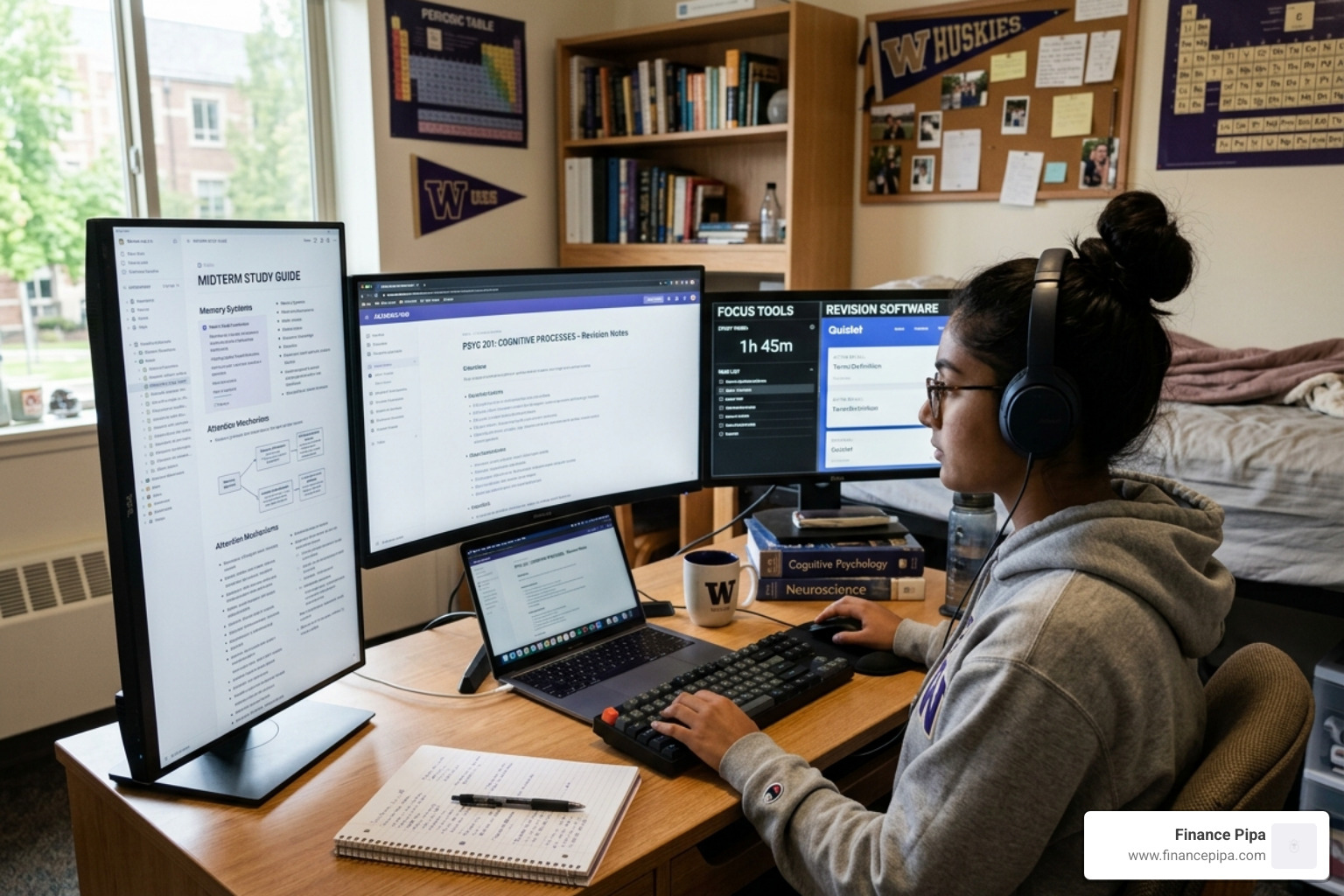
Ready to take your focus to the next level? Boost your productivity with Finance Pipa and discover how our Notes, Focus, and Revision tools can help you master your study sessions in 2026.
